Chicken or Egg - Festival ordering that works with the tills the stalls already use

Guests at Chicken or Egg food festivals order and pay on their phone, stalls accept on a tablet, and the menus come from the tills the stalls already run.

  • Food festivals
  • In use at the brand's festivals
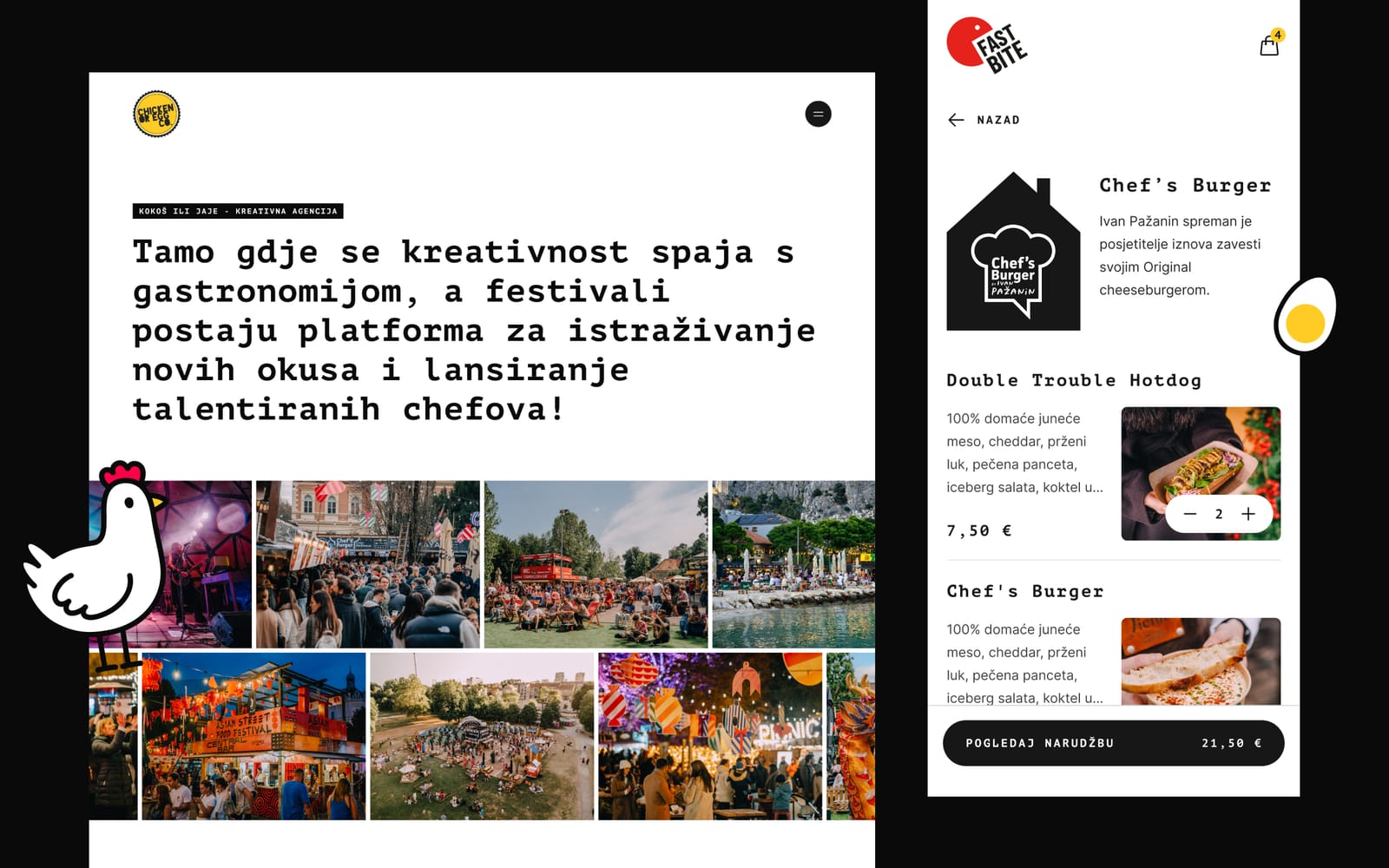
The Chicken or Egg website next to the festival ordering page on a phone

Order on your phone, collect when it's ready

Chicken or Egg runs food festivals, and some of them have more than 25 stalls. At busy times guests queue to order, then wait again for the food. The brand wanted to end the first queue without asking any stall to change its till.

The situation

The brand wanted guests to order and pay on their phone and collect when the food is ready. Every stall already runs its own till with its own menu, so the new app had to work with those tills, not replace them.

Card payments, refunds and tax receipts had to be right from the first order, outdoors, often on a weak mobile signal.

  • 4apps on one server
  • 10 minbefore an unanswered order is refunded
  • 636automated tests
  • 54API endpoints

A guest's order, step by step

  1. The guest opens the ordering page and sees the stalls that are open right now.
  2. They pick dishes and pay by card, Apple Pay or Google Pay. No account, no app to install.
  3. The order reaches the stall's tablet with a sound. Staff accept it, or reject it if a dish just ran out.
  4. The guest's status page updates by itself: accepted, then ready. It also opens from the confirmation email.
  5. They collect the food, and afterwards can rate the dish and vote for their favorite stall.

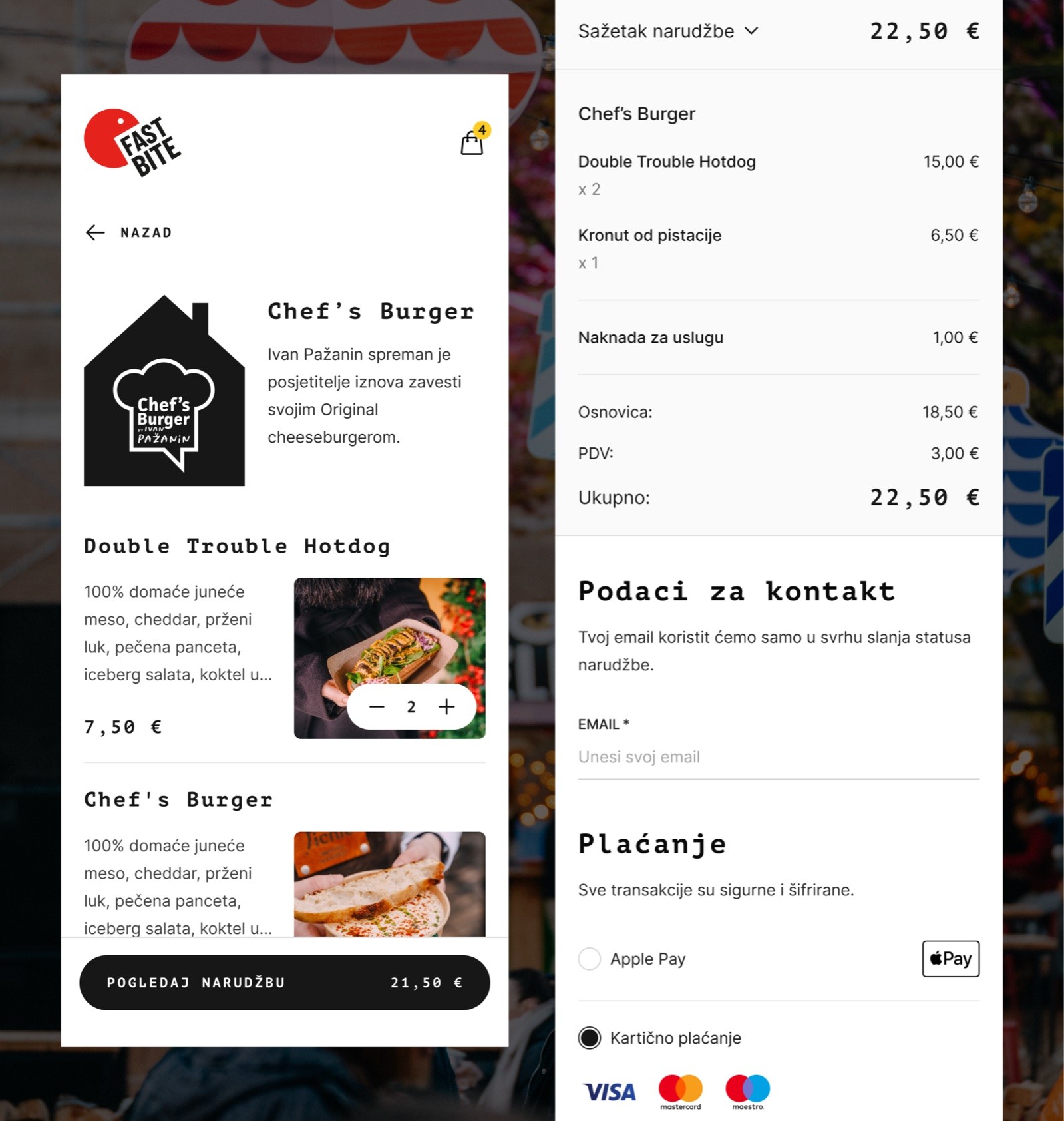
The screens show made-up stalls and orders.

Two screens of the festival ordering app on made-up data, over a festival photo: a stall's menu with dishes, prices and a button to view the order, and the checkout with the order summary, an email field and payment by Apple Pay or card.

At the stall

The tablet shows each order as new, in preparation or ready, and staff move it along with one tap. An order nobody answers within 10 minutes is rejected and refunded automatically, so no guest waits for food that isn't coming.

Two switches cover the busy moments: close the stall for new orders, and mark a dish sold out until midnight.

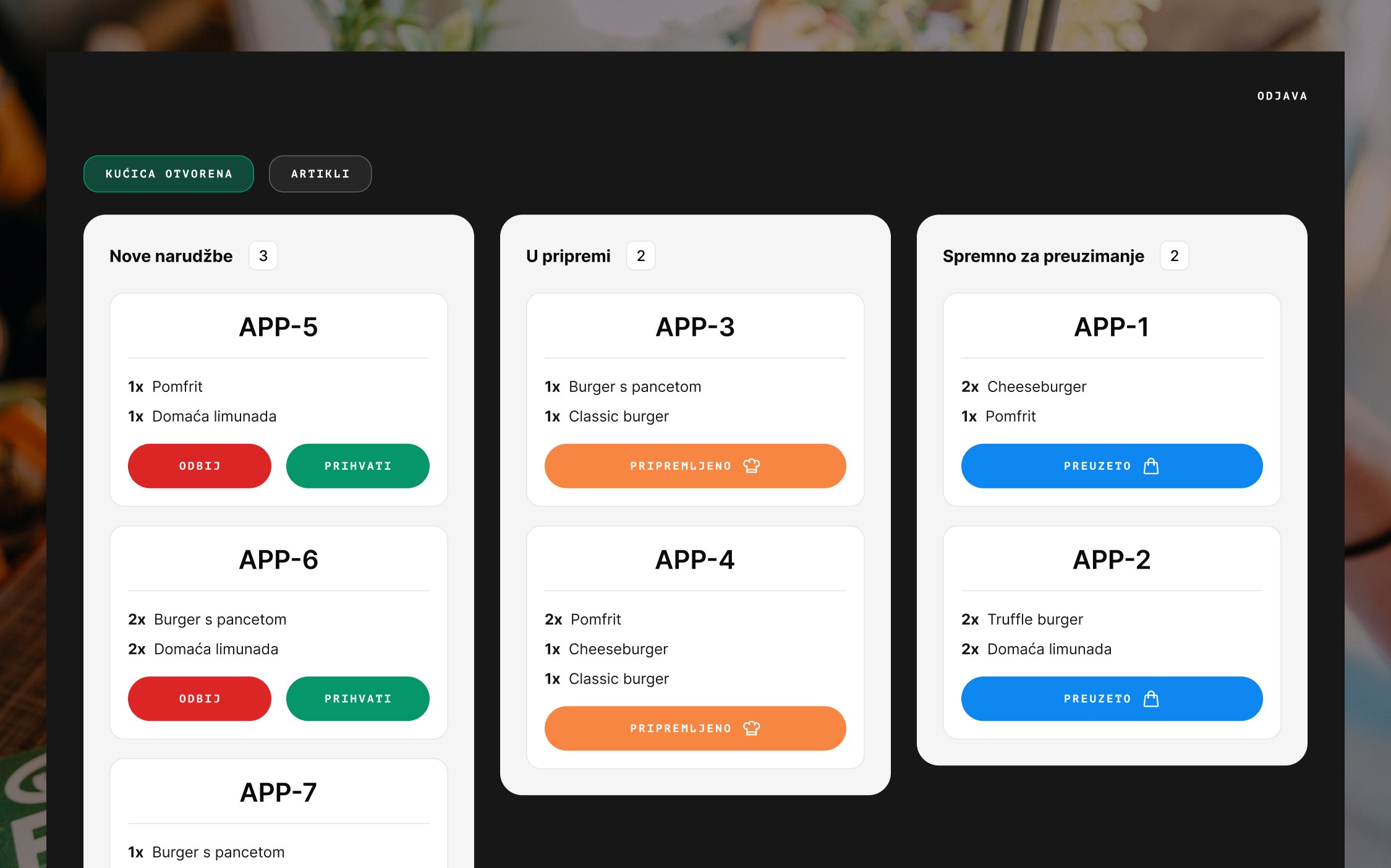
The stall staff tablet app on made-up orders: new orders with reject and accept buttons, orders being prepared with a ready button, and orders ready to collect with a collected button.

For the brand's team

A live view of which stalls are open, closed or not responding. Every transaction per festival, with an Excel export, because nobody on the team should have to query a database. Ratings and the stall vote, where a dish needs at least 3 votes before it ranks.

The festival website, with festival pages and the calendar, is edited by the brand in a content system.

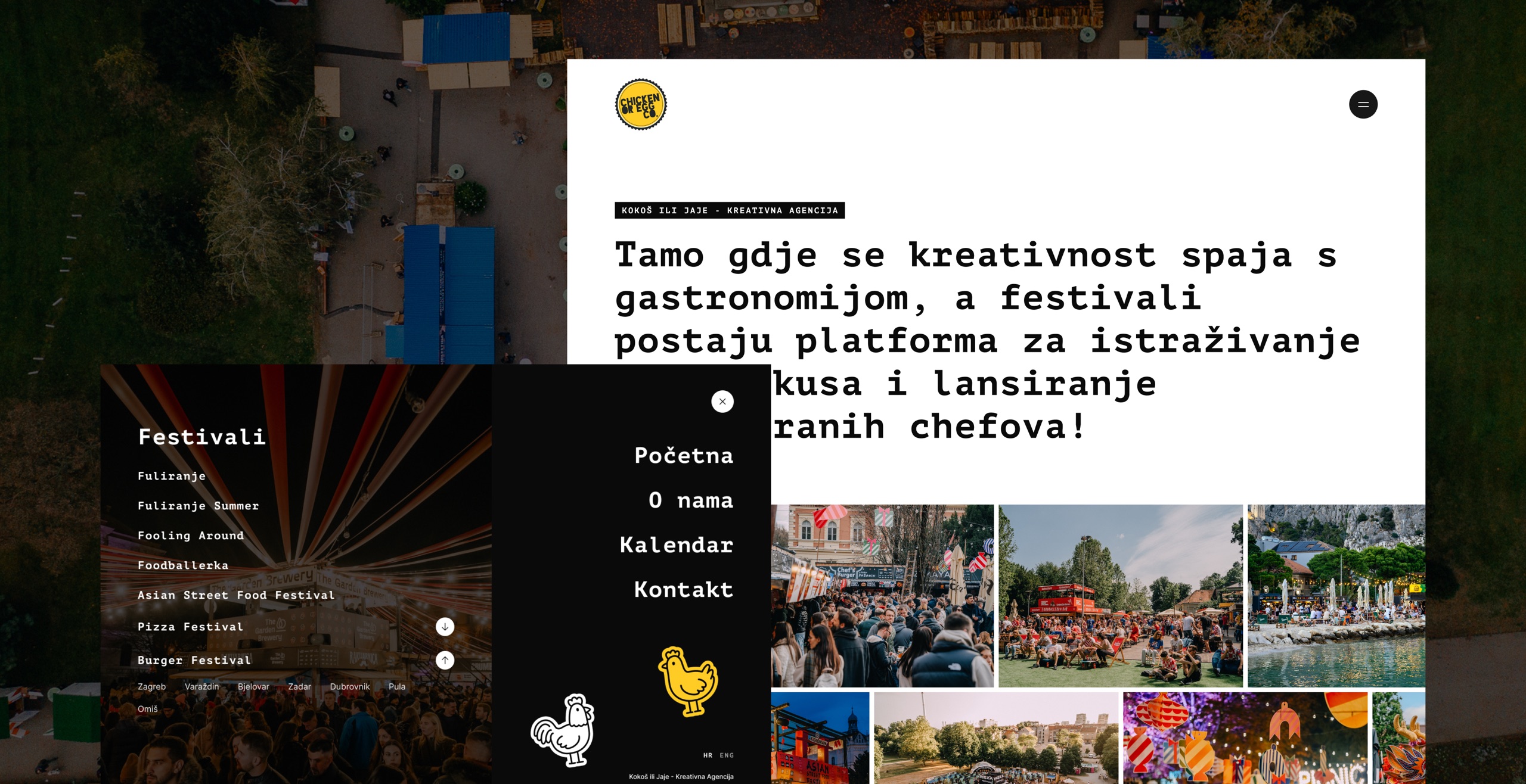
The Chicken or Egg website over an aerial photo of a festival: the homepage, the festivals menu and the main menu.
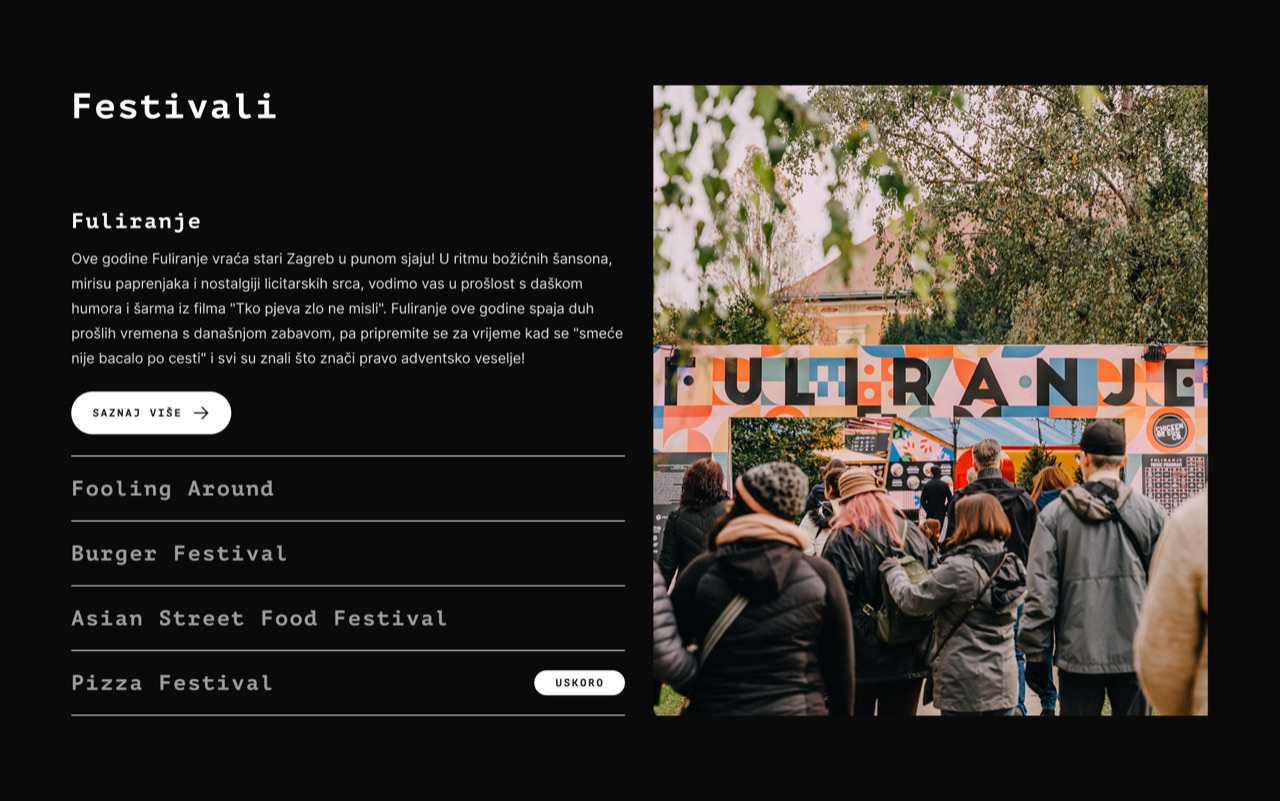
The festivals page on the Chicken or Egg website: Fuliranje open with its photo, and Fooling Around, the Burger Festival, the Asian Street Food Festival and the Pizza Festival below it.
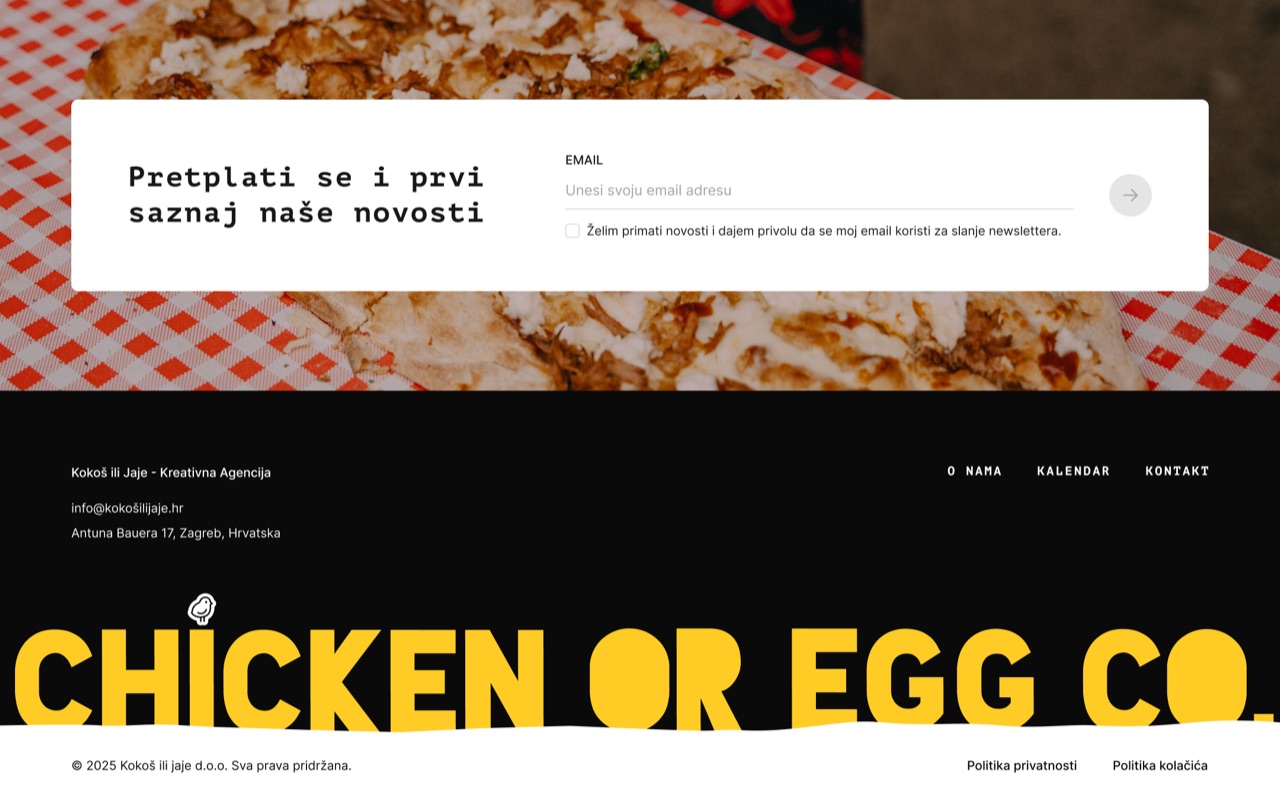
The newsletter sign-up and the footer of the Chicken or Egg website, with the brand name in large yellow letters.

What we decided

No account for guests

An account or an app to install would stand between a hungry guest and the food.

The stall decides

Staff accept or reject every order, and silence for 10 minutes means a refund, not a wait.

Menus come from the tills

Each stall's menu is imported from its till, so nobody types a menu twice.

Receipts at the right moment

The app issues the tax receipt for its own fee when the payment is taken, the moment the client's accountant confirmed. The receipt for the food still comes from the stall's till, as before.

What comes next

Today a guest pays when they order. Next, the card is only reserved at checkout and charged when the stall accepts, so a rejected order releases the money at once. It rolls out between festivals, not during one.

For the technical reader

Money, tills and a weak signal, at once

Four apps share one server. The hard part isn't the screens: it's taking money correctly, reading menus from tills we don't own, and knowing which stalls are really open.

GuestsThe ordering page on their phone, no account
ServerSpring Boot and PostgreSQL: orders, refunds, receipts
Payment providerCards, Apple Pay and Google Pay
Stall tabletAccept, reject, ready, collected
Stall tillThe menu, and a sign the stall is online
Admin areaStalls, transactions, ratings
Content systemStrapi: festival pages and calendar
Next.js and React for the website, the ordering app and the tablet, Java and Spring Boot with PostgreSQL behind them, Strapi for content, on AWS.

Three hard problems

Menus that live in someone else's till

The problem

Every stall already keeps its menu in its own till. Typing it again into a new app would double the work of every menu change.

What we decided
Each stall's menu is imported from its till. What the brand sets by hand, such as the display order or a sold-out flag, survives the next import.
What it cost us
A stall is tied to its till, so a new till means linking the stall again.

Charged before the stall says yes

The problem

Today a rejected order means a refund, and refunds take days to reach the guest's card. The guest paid for food they never got.

What we decided
The next version reserves the card at checkout and charges it when the stall accepts. The same order can't be accepted and timed out at the same moment, every message from the payment provider is safe to receive twice, and a switch allows a staged move.
What it cost us
The payment provider can't be asked for a payment's state afterwards, so a failed charge is never retried blindly. It needs a closer look first.

Which stalls are really open

The problem

An order to a stall that isn't really open turns into a wait, then a refund.

What we decided
A stall shows as open only inside the festival's opening hours and while its till is online. If either is missing, guests see the stall as closed.
What it cost us
A till with a bad connection makes its stall look closed, even when the staff are there.

A year in four steps

  1. 2025

    The first version in October, then card and phone payments by December.

  2. Spring 2026

    Tax receipts for the app's fee and festival opening hours.

  3. Summer 2026

    Stalls accept or reject orders, with automatic refunds, at the brand's festivals.

  4. Autumn 2026

    A live view of every stall, ratings, voting and the transactions export.

How we check it

In November 2026 the automated test suite grew from 41 to 636 tests, before the change to how cards are charged. If the signal drops, the guest's status page keeps checking every few seconds and catches up as soon as the phone is back online.

What the agents do, and what people do

Two engineers build it, and the brand decides what comes next. Since September 2026 AI agents write part of the code under written rules in every repository, and a person reviews every change.

What this means for your process

You probably run a system you can't replace: a portfolio system, a policy administration system, an accounting package. This project worked the same way. The new app took the part that was missing and fed the systems that were already there.

The First Workflow starts the same way: one process, the systems you already run and a working version you can try.

Have a process like this?

Book a 20-minute call

You describe the process. If a First Workflow fits, you get a one-page proposal within 2 working days. If it doesn't, we say so.

Book a call

You'll talk to Sandi, our founder. No slides.

Not ready for a call? Send us the process in writing. We reply within one working day.

Free download

The First Workflow kit: find the process worth turning into software

Ten signs a process is ready, what AI can do in a back office today, a worksheet to price your process, build or buy and the questions to ask any software vendor. Seven pages, written for people who run operations.

Want our eyes on your process? Get a free scorecard
We use your email for this and, if you tick the box, the Letter. Unsubscribe with one click. See our privacy policy.
Book a 20-minute call