Školska Knjiga - Their external tech team for 4 years, and counting

Školska Knjiga didn't want to build an internal software department. Since 2022 we have been its product and tech team: one account for every app, digital textbooks and a planner teachers use every day.

  • Educational publishing
  • Their tech team since 2022
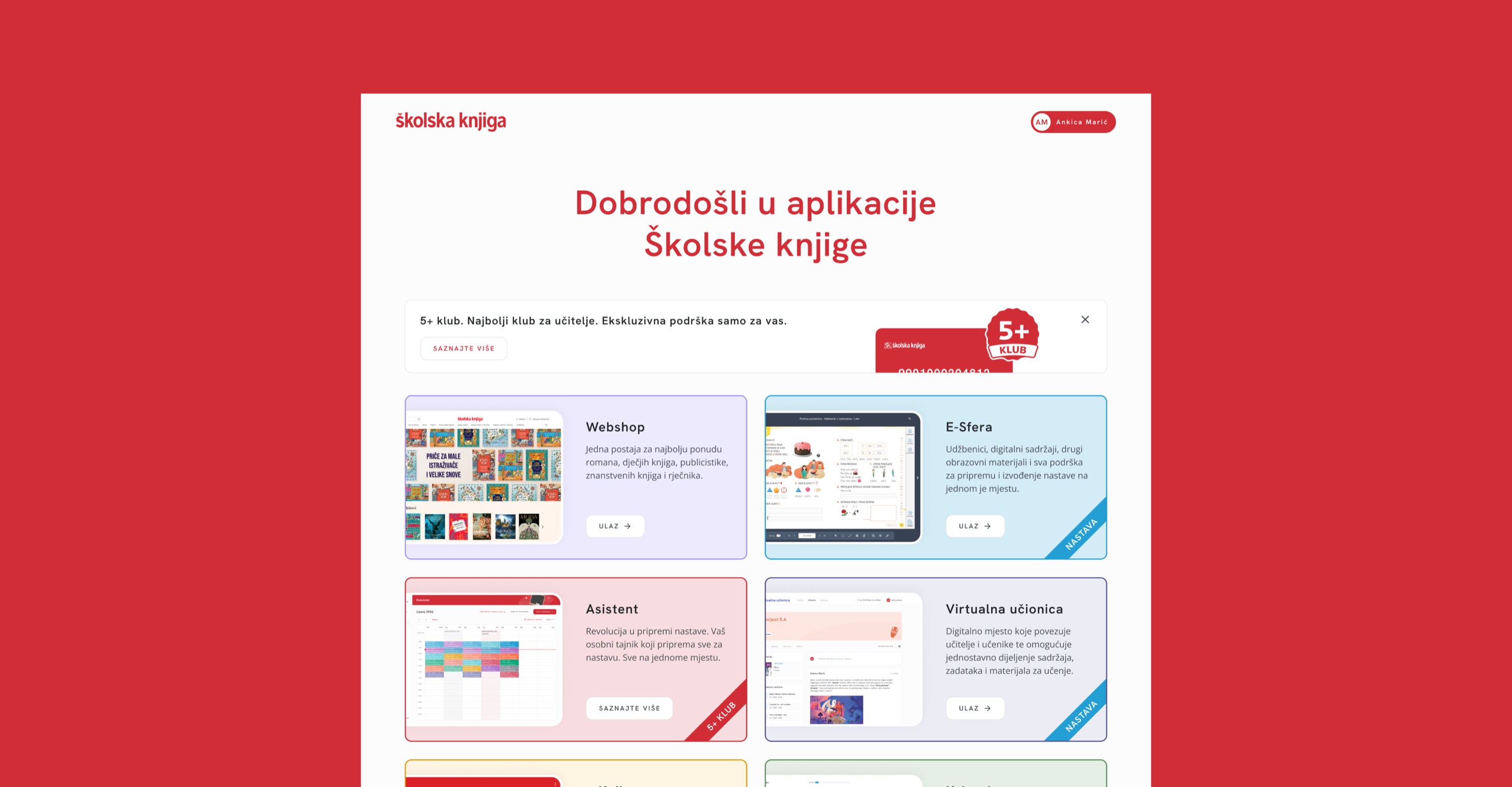
The Školska Knjiga applications page, with cards for the webshop, e-Sfera, assistant, virtual classroom, e-books and quizzes

A publisher that runs on software, without a software department

Školska Knjiga has published textbooks for more than 70 years. A growing part of what it gives teachers is software. It wanted to stay a publisher and have someone it trusts run the technology.

The situation

Digital textbooks, lesson plans and a planner for the school year now matter to teachers as much as the printed book. Školska Knjiga didn't want to hire and run a software department to deliver them.

So since late 2022 we have been its external tech team. We advise on what to build, help set the order, build it, and keep it running through every school year.

  • 4years as their tech team
  • 3apps teachers use today, on one account
  • 80%test coverage required on every backend
  • 1,500+commits in the past year

One account for every app

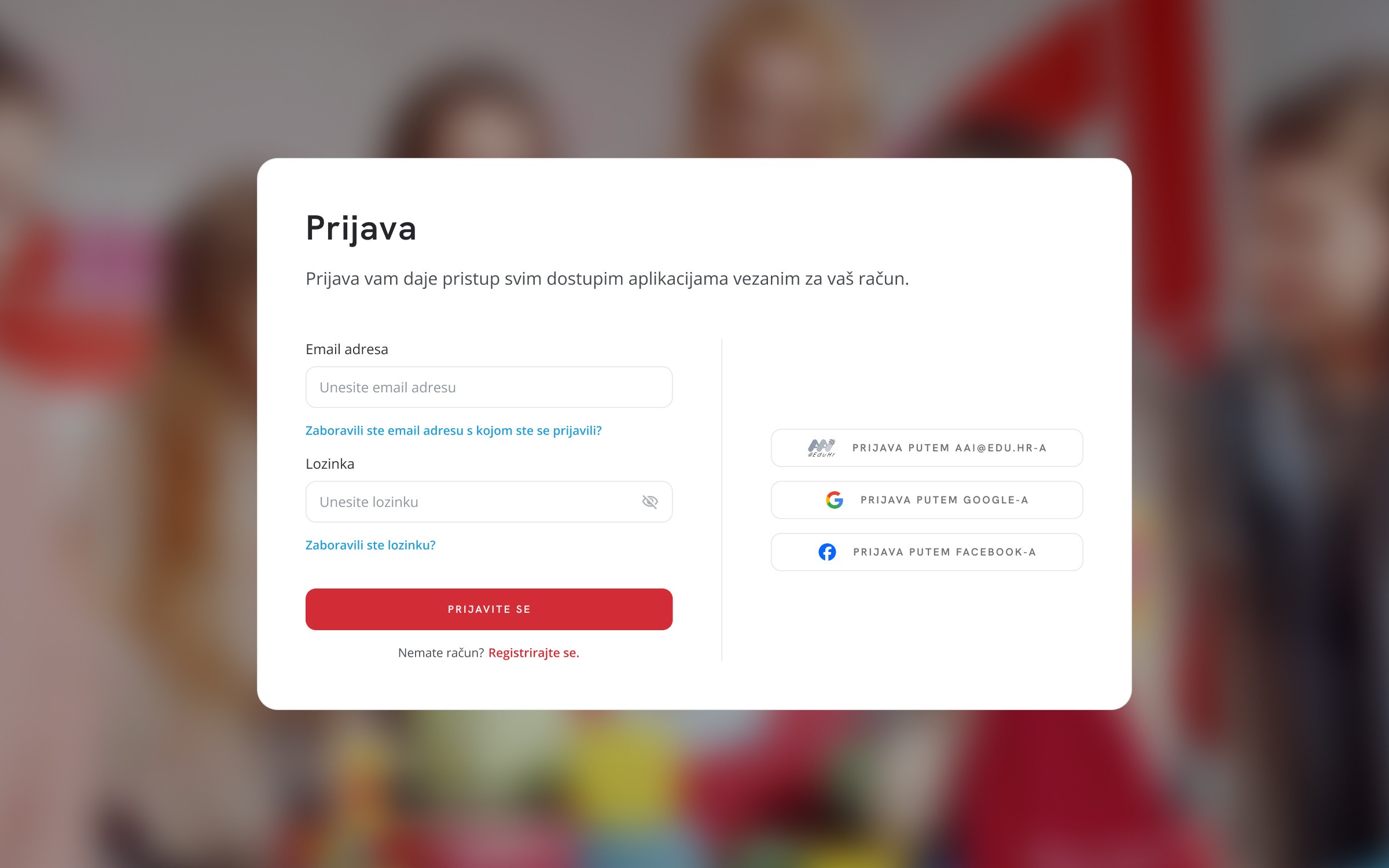
A teacher signs in once, with the schools' own sign-in service, Google, Facebook or email, and opens every app from there. The account is matched to the publisher's CRM, so access follows what the publisher already knows: the teacher's school, and whether they belong to the loyalty club.

A code printed in a textbook opens its digital content.

The Školska Knjiga sign-in page over a blurred classroom: email and password, or sign-in through AAI@EDU.HR, Google or Facebook.

e-Sfera, the digital textbook

Teachers and students read the textbooks page by page and keep notes, drawings and bookmarks. Teachers also get lesson plans and materials for each class. In class, the book goes on the smartboard, with pens, sticky notes, a spotlight and a switch that shows the answers.

Every textbook comes with its digital additional content, DDS, arranged by chapter and lesson: video, audio, galleries, interactive tasks, quizzes and downloads. The publisher's editors build and publish it themselves in the admin area.

It works in the browser on Windows and Mac, and as an app on Android and iOS.

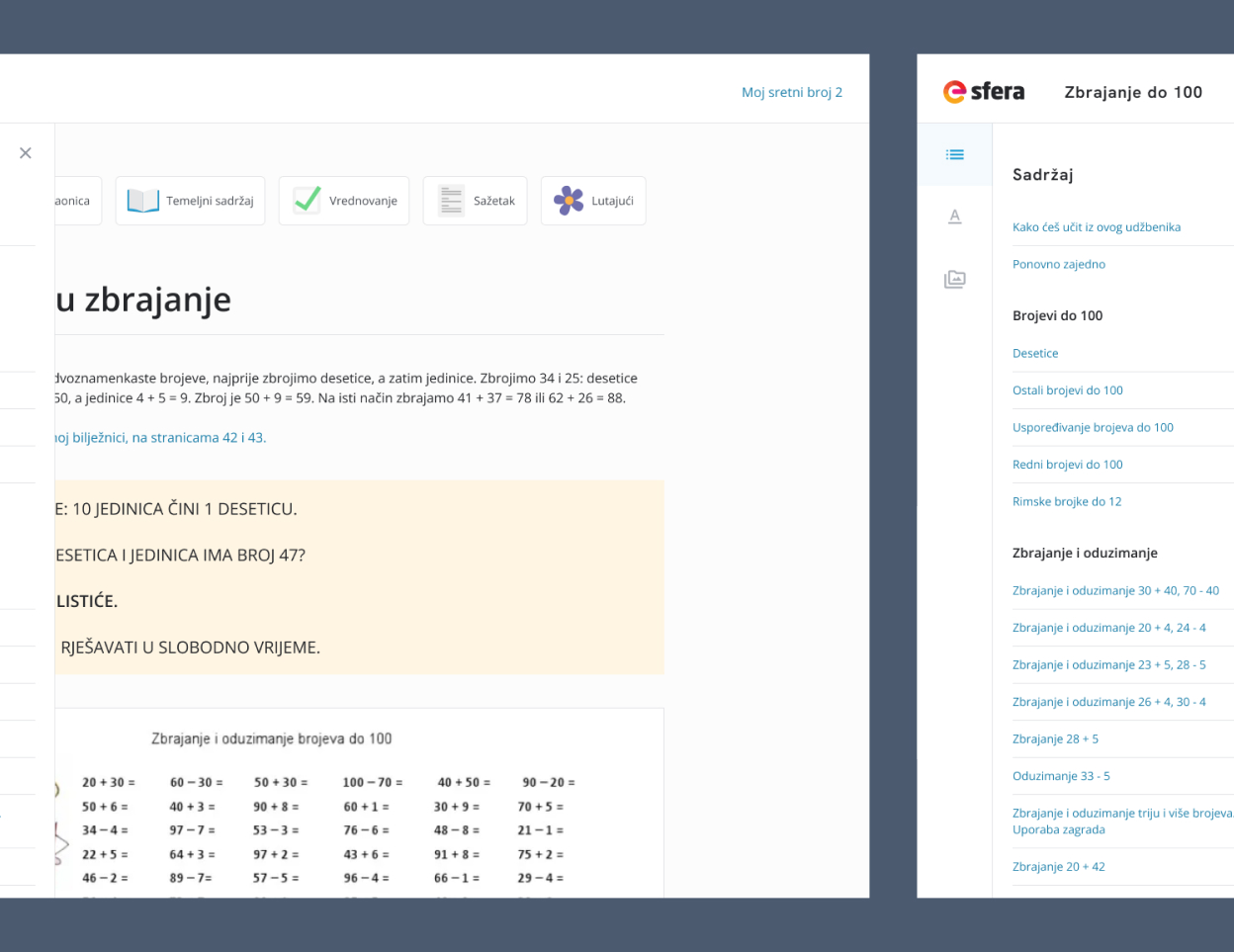
A lesson in e-Sfera's digital content, Zbrajanje do 100, beside the textbook's table of contents.
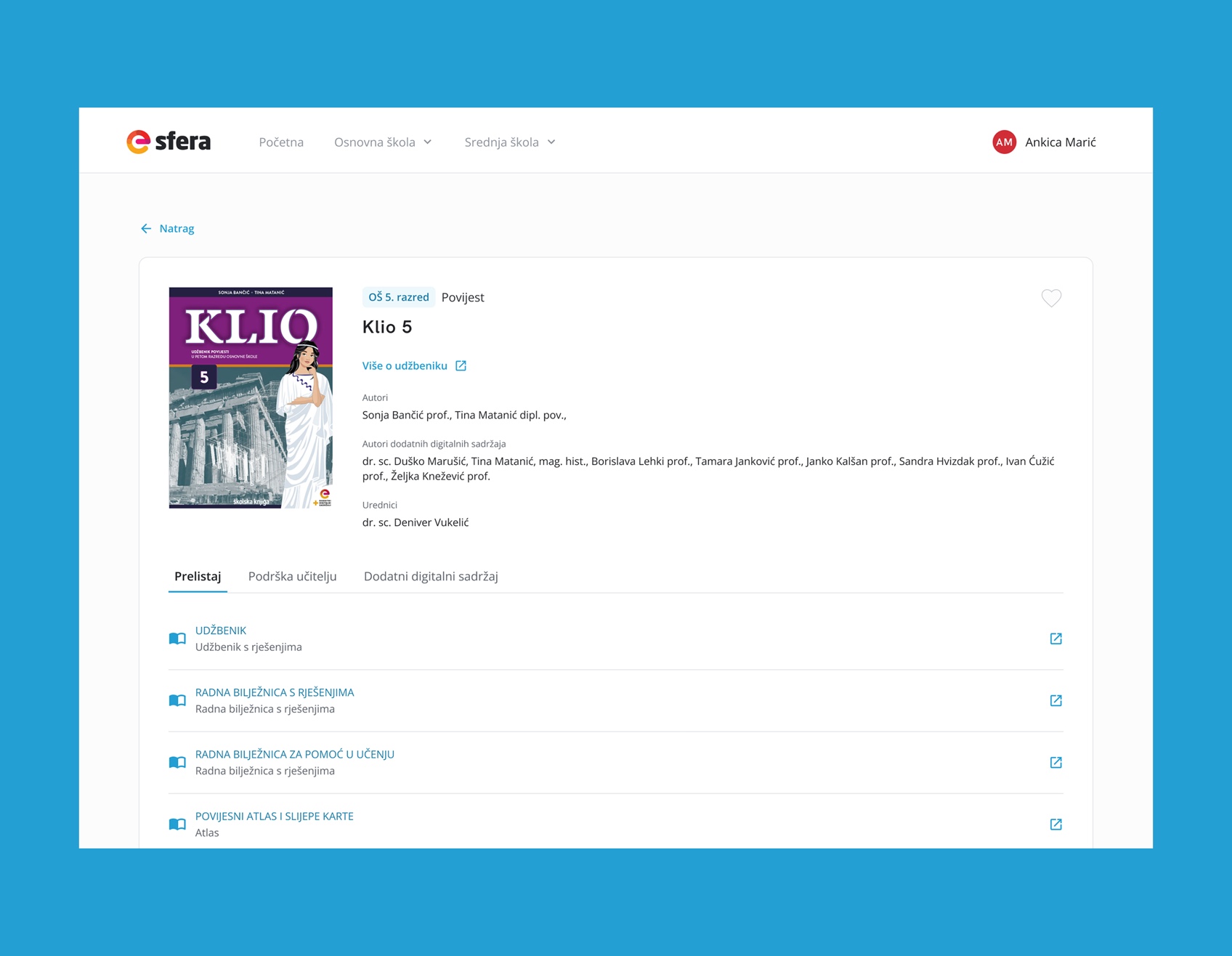
The e-Sfera page for the history textbook Klio 5, with its workbooks, atlas and support materials.
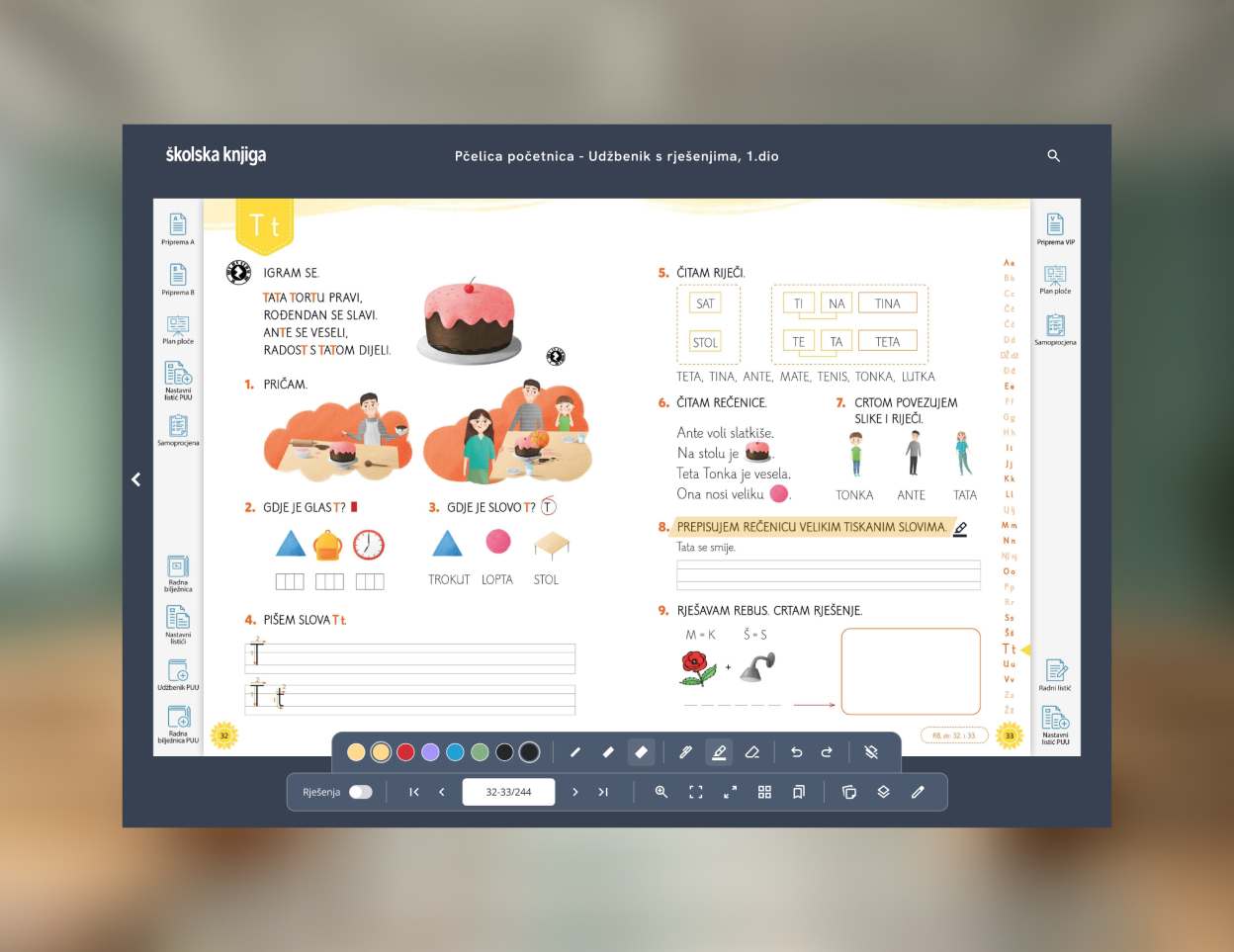
A first-grade textbook open as a two-page spread in the e-Sfera reader, with the drawing toolbar below.

Asistent, the teacher's planner

A teacher enters their timetable once, and Asistent prepares the materials for each lesson of each day and records every lesson taught. It also holds classes, exams, notes and the consent forms parents sign. The school-year calendar is built in, so holidays and term dates are already there.

It runs on the web and on the phone.

Who uses it

Teachers plan lessons, open textbooks and extra materials, and keep track of their classes.

Students read their textbooks and the extra content, at home or in class.

The publisher's staff manage users, schools and access, and upload support materials, without asking a developer.

Why it was hard

Teachers have little time, and if an app is slow or confusing in September they stop opening it. The school year sets the deadlines, and they don't move. We also took over a planner another agency had built, and teachers used it every day.

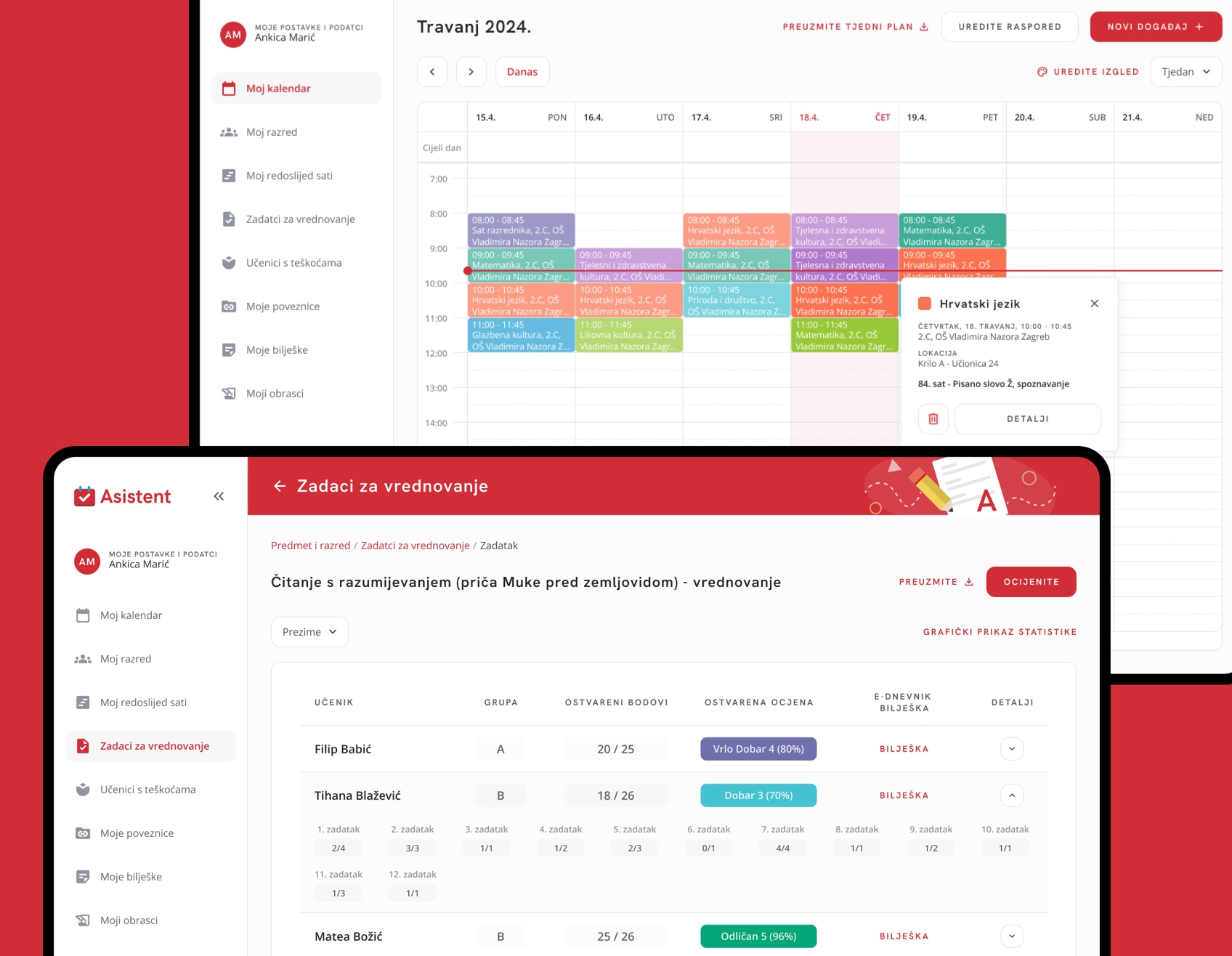
Asistent on a desktop and a tablet: a teacher's weekly calendar of lessons, and the grading screen for a reading task with each student's points and grade.
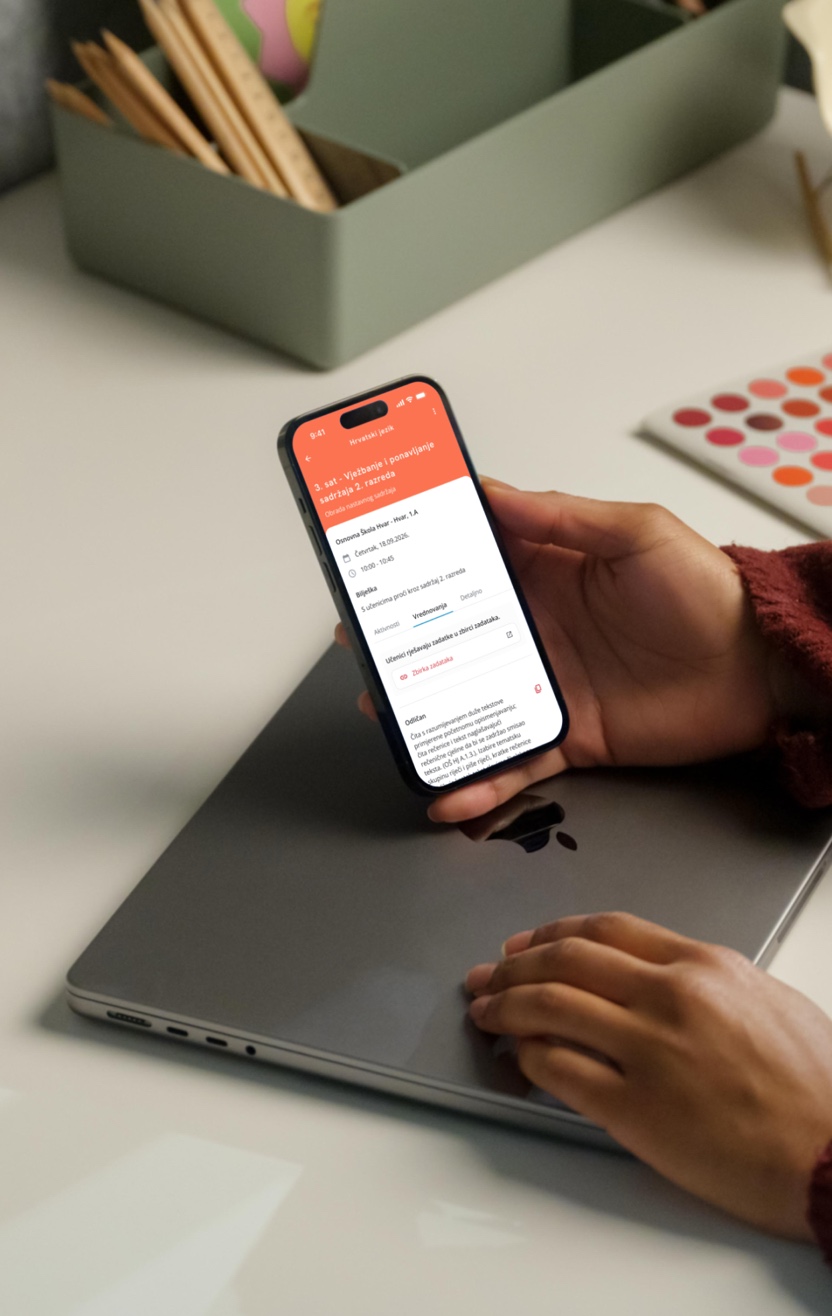
A hand holding a phone with a lesson open in the Asistent app, over a closed laptop on a desk.

How we decide what to build

They set the priorities

We propose, explain the trade-offs and say when something isn't worth building. The publisher decides.

A written offer first

Each piece of work starts as an offer with the hours for each step and time for testing with their team.

Prototype, then spec

Larger features start with a clickable prototype and a written spec, and nothing is built until both are approved.

Why it continues

Four years in, the publisher still has no software department, and it doesn't need one. It decides what matters to teachers. We turn that into software and keep it running through every school year, from the September rush to the summer, when the next year's calendar and content go in.

For the technical reader

Several apps, one platform, no downtime in term

The apps grew up separately, each with its own sign-in. Now they share one account, one set of components and one way of moving content, and none of them stopped while that happened.

Teachers and studentsOn the web and on the phone
Account portalOne sign-in: the schools' service, Google, Facebook or email
e-SferaTextbooks, extra content and lesson plans
AsistentTimetable, lessons, classes and consent forms
Publisher's CRMWho a teacher is, their school and the loyalty club
Admin areaStaff manage users, access and materials
Java and Spring Boot with PostgreSQL behind the apps, Next.js and React on the web, Flutter on the phone, hosted on AWS.

Three hard problems

Replace a planner teachers used every day

The problem

The planner came from another agency, and teachers planned their lessons in it every day. Switching it off on a set date would have left teachers without it mid-term.

What we decided
We built the new planner beside the old one and kept the old one running, with its school-year calendar, until the new one was ready in September 2024.
What it cost us
For a while there were two planners to keep running, and the old one still gets its calendar every summer.

Move years of content without breaking it

The problem

Flipbooks, extra digital materials and lesson plans lived in older formats. Teachers were using all of it, and a broken page in class is worse than a late one.

What we decided
Every migration runs as a dry run first, writes a report a person reads, and can be rolled back. A list the publisher confirms decides what moves. Old flipbooks are rebuilt from their exported pages, so none of the old format's code runs inside the new reader.
What it cost us
It is slower than copying everything at once, and each batch waits for the publisher's confirmation.

Separate apps that should feel like one

The problem

Each app had grown up on its own, with its own sign-in and its own look. Teachers had to learn each one, and every app solved the same problems again.

What we decided
One account portal for every app, and one set of components built from one design file, so a button, a form and a list behave the same everywhere. When we replace a part, old and new run side by side behind one switch.
What it cost us
A change to a shared part has to go out to every app, so releases are planned together.

Four years in four steps

  1. 2022

    We take over the teacher planner and keep it running.

  2. 2024

    Work starts on the new platform: the account portal, the new e-Sfera and a new Asistent. The new Asistent goes live in September.

  3. 2025

    The account portal and the new e-Sfera reach teachers and students.

  4. 2026

    The new Asistent phone app is released, and AI agents join the team's daily work.

How we check it

Every backend has to keep at least 80% of its code covered by automated tests before a change can merge. Every offer includes time for testing with the publisher's own team, and larger features are tried as clickable prototypes before anyone builds them.

What the agents do, and what people do

Five of us worked on the platform over the past year, in engineering, analysis and design, with more than 1,500 commits. Since October 2026 AI agents write part of the code under written rules in every repository. A person reviews every change, and no feature starts without an approved spec.

What this means for your process

Your business may have nothing to do with textbooks, but the hard parts are the same: customer data in a CRM, an old system people use every day, records that have to move without breaking anything, and deadlines the business won't move.

The First Workflow starts the same way. One process, a written definition of done and a working version you can try, built by the same team.

Have a process like this?

Book a 20-minute call

You describe the process. If a First Workflow fits, you get a one-page proposal within 2 working days. If it doesn't, we say so.

Book a call

You'll talk to Sandi, our founder. No slides.

Not ready for a call? Send us the process in writing. We reply within one working day.

Free download

The First Workflow kit: find the process worth turning into software

Ten signs a process is ready, what AI can do in a back office today, a worksheet to price your process, build or buy and the questions to ask any software vendor. Seven pages, written for people who run operations.

Want our eyes on your process? Get a free scorecard
We use your email for this and, if you tick the box, the Letter. Unsubscribe with one click. See our privacy policy.
Book a 20-minute call